

Professional PFIC Reporting for U.S. Taxpayers
Preparing IRS Form 8621 can be extremely complex. If you own a Passive Foreign Investment Company (PFIC) such as a foreign mutual fund or ETF, you may be required to report it to the IRS each year.
Unfortunately, many tax professionals do not handle PFIC reporting because the calculations are complicated and time-consuming. The IRS estimates that learning the rules and preparing the form can take more than 30 hours per form.
Our team at Expat Tax Tools specializes in PFIC reporting and can prepare your Form 8621 quickly and accurately.

Let Us Prepare Your Form 8621
If you normally prepare your own taxes but have discovered that you own PFIC investments, we can help.
We will prepare your Form 8621 and all required calculations so you can easily include the results in your IRS Form 1040 tax return.
What You Receive
When you use our Form 8621 preparation service, you get:
- A completed IRS-ready Form 8621
- All required PFIC calculations and supporting statements
- A clear guide showing where each number goes on your tax return
- Visual references showing where to enter the values in other IRS forms
- Secure file transfer for safe document sharing
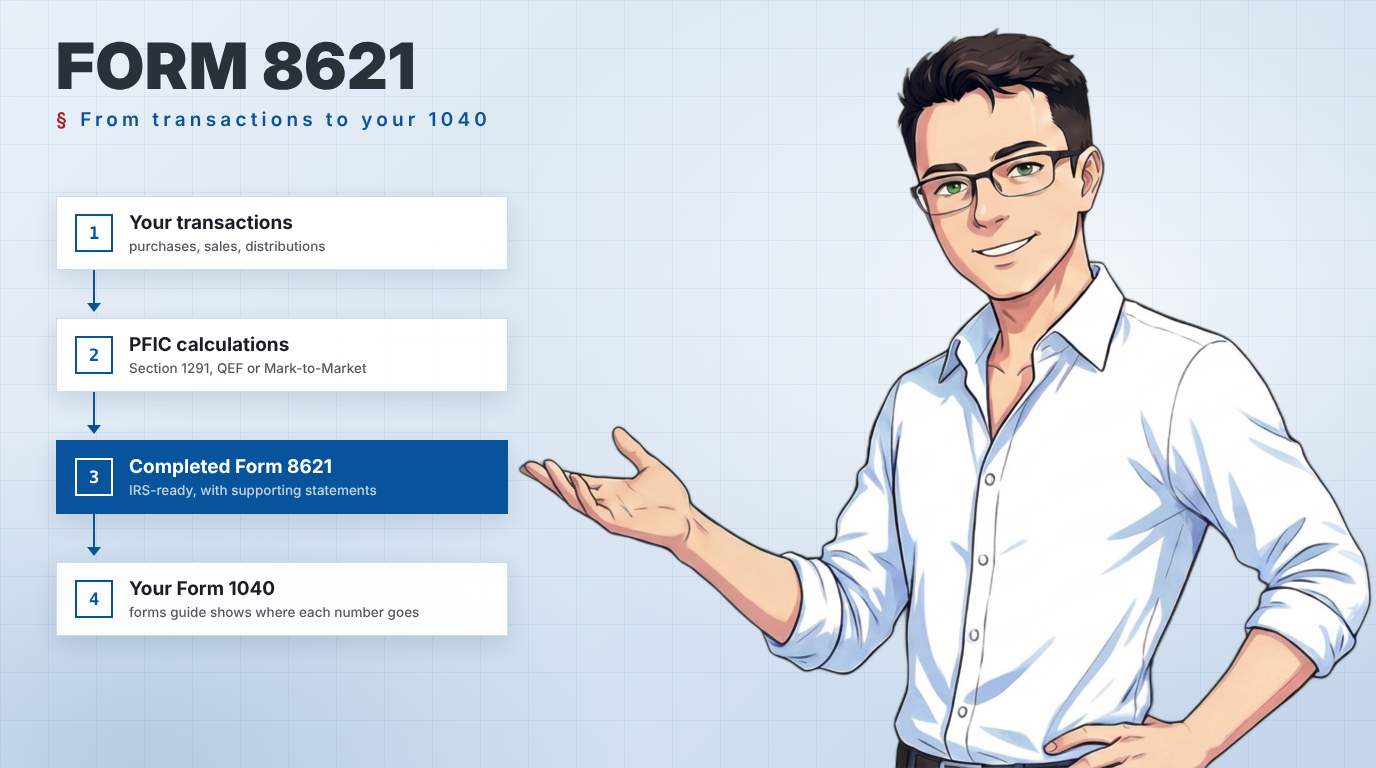
Our service removes the need to build complicated spreadsheets or learn PFIC tax rules yourself.
PFIC Tax Methods We Support
We prepare Form 8621 under all major PFIC taxation methods, including:
- Section 1291 (Excess Distribution method)
- Qualified Electing Fund (QEF) election
- Mark-to-Market (MTM) election
- Transitional Rule Application for new US taxpayers
- Expatriation
Whether your situation involves simple holdings or complex transaction histories, we can handle it.
Information We Need From You
To prepare your Form 8621, we generally require:
- Transaction history for each PFIC investment from the original purchase date
- Purchase and sale dates
- Reinvested distributions or dividends
- Current holdings or balances
Your bank or financial advisor can usually provide this information if you do not have all statements available.
Pricing
Our pricing is simple and transparent.
Applies when transactions are imported to our form preparation request form
Applies when transactions must be extracted from statements or documents
Projects involving more than 10 forms require a 50% retainer.

Complete the request form and our system will automatically generate a fee estimate based on the information you provide. You will see the estimated cost before submitting your request, so there are no surprises.
* Professional discounts available please contact us at b.lougen@expattaxtools.com
Why Clients Choose Our Service
- PFIC specialists with dedicated Form 8621 Calculator™ software
- Fast and more affordable than most tax preparation firms
- Accurate PFIC calculations and documentation
- Secure handling of financial data
- Audit Ready Statements
- Full Technical and Theory Support

Form 8621 Preparation Service
After completing your registration and logging in to your account, navigate to the left-hand menu and select the "Form 8621 Preparation" option. This guide walks you through each step of the process.
The calculations for passive foreign investment companies are very complex and layered. The platform is designed to guide you through the process step by step — collecting the information our team needs to prepare your forms accurately and efficiently.
The Service Agreement
The first time you access this section, you will be required to review and sign an Engagement Agreement. This outlines the terms of service and the responsibilities associated with using the platform.
- Navigate to the left-hand menu and select "Form 8621 Preparation".
- Click "Proceed" to generate the Engagement Agreement. The system automatically creates a personalised agreement based on your registration details.
- Review the document, then sign by typing your name or drawing your signature using your mouse, trackpad, or touchscreen.
- Confirm the action to apply the signature. This completes the signing process and records your signature as part of the agreement.
Once signed, a Signature Certificate is automatically generated. The agreement becomes locked — no further changes can be made, preserving the signed version exactly as it was.
A detailed audit trail is created and permanently associated with the agreement, recording:
Date & Time of Signature
The exact timestamp when the agreement was signed is permanently recorded.
Identity of the Signer
The signer's identity is tied to the agreement via their registration details.
Technical Signing Details
Metadata related to the signing process provides verifiable evidence of authenticity, integrity, and non-repudiation.
Exporting the Agreement (PDF)
Select Export to PDF at any time. The exported file includes:
- Full Agreement Document
- Audit Trail
- Unique Document ID
- Signature Certificate
- Digital Fingerprint Checksum
Termination
Click "Terminate" at any time. You will be asked to provide the reason for cancellation. The system generates an amendment that becomes part of the agreement's official record.
New Form 8621 Preparation Request
- Select "Form Preparation Request" from the left-hand menu.
- A fillable form popup will appear. Complete all required fields.
- Use the "Save for Later" button at any time to save a draft and continue later.
When a request is saved as a draft, an entry automatically appears in the Tickets / Requests section of your dashboard.
To edit the request, hover over the corresponding row and click the "Edit" button. This reopens the request so you can review or update the information before submitting.
Enter the number of forms you need. The quick estimator multiplies this by the number of tax years selected to display an estimated cost. Once PFIC information is added, the estimate automatically adjusts to reflect the actual number of forms required.
You can also add a message with your submission — for background information, notes for the preparer, or special instructions.
Owner(s) Information
You can submit a single request for multiple owners, including individual taxpayers and corporations. For each owner, provide:
- Full name
- First date of U.S. filing requirement
- Tax year-end (MM-DD)
U.S. Owner Status — Why It Matters
PFIC taxation depends on whether a client was a U.S. Owner at the relevant time. U.S. Owner status is determined by citizenship, residency, and IRS-specific tests. See IRS Publication 519 or consult your tax professional for details.
| Owner Type | Scenario | U.S. Person Start Date |
|---|---|---|
| Individual | U.S. Citizen from birth | Date of birth |
| Individual | Green Card holder | Earlier of:
|
| Individual | Meets Substantial Presence Test | First day present in the U.S. during the tax year the test is met |
| Entity | U.S. Corporation or Partnership | Date of incorporation or formation |
| Entity | Foreign Corporation / Partnership with U.S. trade or business | Date the entity begins U.S. operations, establishes a permanent establishment, or otherwise becomes subject to U.S. taxation |
PFICs and Joint Ownership by Spouses
When a PFIC is jointly owned by spouses, each spouse is generally considered a separate U.S. Person. However, spouses filing a joint Form 1040 may elect to report the PFIC jointly on a single Form 8621.
Select the "Joint Return" option when completing the form to allow elections to apply to both spouses together.
Removing Owners
Click the remove icon next to an owner's name to remove them. Once PFIC ownership information has been added, the associated owner data cannot be removed. You must first remove the PFIC entry, then re-add it with the correct owner details.
Select Tax Years & Additional Information
Choose all years for which you would like Form 8621 prepared. This helps us organise your data and ensures each year is filed accurately and in compliance with U.S. tax rules.
You may include the next tax year to generate estimates. The system uses a daily updated exchange rate to ensure historical and estimated filings are calculated accurately.
Enter your tax return filing due date, including any extensions that have been granted. This helps us prioritise your request and meet your deadline.
If you have filed a Form 8621 in the past, indicate whether we prepared it for you. This allows us to retrieve prior information and carry it forward, reducing data entry and maintaining consistency.
If we have not prepared your previous Form 8621, you must include a PDF copy of the last filed form for all PFICs. This ensures we can verify prior elections and carry forward historical data accurately.
Adding PFICs
Click the "Add PFIC" button to open the PFIC entry form. The form is intuitive and will guide you through the process step by step.
Required Fields
The following fields are required in order to save the PFIC entry. Click each to confirm you have the information ready:
Additional PFIC Information
- Identification number — CUSIP, ISIN, or similar identifier
- Class of shares (if applicable)
- Reference number (if a prior Form 8621 has been filed for this PFIC)
- Base currency used for the investment
- Financial institution address
Indicate whether any PFIC elections are currently in place. The election type determines how PFIC income is calculated and reported.
Owners
You will see the list of owners entered on the main screen. Select the checkbox next to each owner of this PFIC and enter their ownership percentage.
A PFIC is owned 50/50 by John and his friend Ray. Since filings are being prepared only for John, select John and enter 50% as the reportable ownership portion.
Year-End Information
Indicate whether the owner paid any foreign taxes related to this investment, then select the tax years for Form 8621. For each year, provide:
- Units — shares owned at year-end. Enter 0 if not held at year-end.
- Market Value — total value of the investment at year-end.
- Foreign Tax Paid — if applicable.
John sold the investment in 2025 — enter 0 in Units for year-end 2025. For 2024, he owned 1,545 shares at $1.45 each, so enter $2,240.25 in Market Value.
The full transaction history is critical for accurate Form 8621 preparation. Provide the complete history from the first purchase, including all purchases, sales, reinvestments, and distributions.
- Purchase — Bought additional shares using cash or account funds.
- Inherited — PFIC shares received as part of an inheritance.
- Received as Gift — Shares transferred to you as a gift.
- Reinvested Dividend — A dividend automatically reinvested to purchase additional shares.
- Switched from Another PFIC — Shares acquired by transferring value from another PFIC.
- Fund Share Split — Share count increased through a split (e.g., each share becomes two), without changing total investment value.
- Sale — Sold some or all PFIC shares for cash or proceeds.
- Given Away — Shares transferred to another person as a gift.
- Switched to Another PFIC — Investment moved from this PFIC into another fund.
- Reverse Share Split — Fund consolidated shares (e.g., two become one), reducing units while maintaining approximately the same total value.
- Dividend — Fund distributed income without reinvesting into additional shares.
- Return of Capital — Distribution returning part of the original investment, typically reducing cost basis.
- Capital Gains — Distribution of realised gains from the fund's internal investments.
- Cost Base Adjustment — Adjustment due to accounting corrections, corporate actions, or other administrative changes.
Submitting Transaction Data
You do not need to attach the Excel worksheet. Simply copy and paste the transaction data directly into the form's "Excel Data" field — the information automatically populates the transaction history table.
- In your spreadsheet, select all transaction cells and press CTRL + C.
- Click the "Excel Data" field in the form.
- Press CTRL + V. The transaction table populates automatically.
- Review the table. To edit any entry, double-click on any cell directly in the table.
You may add a note to the PFIC for additional details or special instructions for the preparer.
When all information is complete, choose one of the following:
- Save Draft — Use if you still need to collect additional information or want to review the entry later.
- Complete — Saves the final PFIC information and locks the entry for submission.
After saving, the PFIC appears in the PFIC section of your request. Repeat the process for each additional investment.
Submitting Your Request
Once all PFICs have been added and reviewed, click "Submit Ticket" to send your request. We will provide a written estimate of fees prior to beginning any work.
What Happens Next?
Our team will review your submission and respond promptly.
FAQ
The Service
Why should I trust you to prepare Form 8621?
- We understand the IRS regulations on PFICs
- We are more accurate, faster and less expensive than accountants and tax professionals
- The IRS estimates the time to learn about the law and form is 11 hours 24 minutes with an additional 20 hours 34 minutes to complete each form
- We provide you with full calculations to provide to the IRS
- We use secure file transfer methods when communications include personal information
What do I get for my money?
A completed form 8621 and a set of calculations ready to slide into your 1040 tax return, and a forms guide that show where all the numbers end up on your tax return.
I have concerns about protecting my personal information.
Everyone should be careful when providing personal information to an unknown person. We can prepare Form 8621 for you without your sensitive information. We really only need the information regarding the PFIC- not your SSN, not your bank or account number. If you do not wish to provide us with your personal information, we will produce the form with the heading blank and you can fill that in yourself. In fact- we prefer it that way.
Your Information
What information do you need to provide to us?
- The year or years of forms you need prepared;
- A copy of the prior year’s Form 8621 if one has been filed
- Whether a QEF or Mark to Market election was made in an earlier year;
- A full transactional history of the investment in the functional currency for all PFICs you owned on January 1 of the first year we are preparing. The history must include the date and amount of purchases, reinvestment of distributions, sales, and distributions- and whether you included distribution amounts in taxable income on a US tax return in the year you received them (even if you reported them incorrectly);
- The December 31 balances for each PFIC for each year you are having us prepare, as well as the December 31 balance for the year immediately preceding the first year we are preparing;
- The PFIC Annual Information Statement if you would like a QEF election
What is a distribution?
Any amounts of cash or property distributed to the owner for any reason other than as a result of a sale- such as dividends, interest, return of capital, etc…
What is a functional currency?
The currency in which the investment is denominated.
Do I need to convert the amounts into USD?
No- we will do all the currency conversions for you. We use the spot rate pulled directly from the banks, which is accepted by the IRS. Our database has over 150 currencies.
Elections & Payment
Can you help me decide whether I should make an election?
We can certainly assist with explaining the pros, cons, and ramifications of making a QEF or Mark to Market election about your PFIC.
The fee for the theory consultation is $275 USD / $370 CAD per hour, with a minimum charge of half an hour. Check out the PFIC information and articles on our website.
If you would like us to prepare Form 8621 so you can compare the numbers- there is a modest fee of $50 USD for the additional form, calculations, and forms guide.
How do I pay?
Payments can be made by credit card at https://tools.expattaxtools.com/invoices/, a zelle or e-transfer sent to info@expattaxtools.com, or by wire transfer (contact us for details)